There have been several occasions in my consulting career where I have discussed what a corporate intranet should look like. There are several aspects to this question, branding, custom web parts or other bells and whistles, but I believe that the fundamental structure or information architecture is one of if not the most important aspect of a solid, useful corporate intranet. Clearly, each individual company will have a unique look and feel and information architecture. This will depend on the underlying business as well as the relative size, geographical locations and languages of the company. However, I have noticed certain commonalities across companies and have started to develop a template of how I can help an organization visualize there corporate intranet. This could be used as a target to reorganize an existing intranet or as a template to stand up a new one. In either case, changes will have to be made to suit the individual company’s nee...
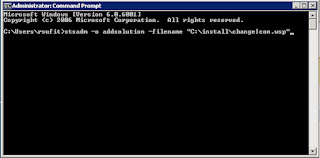
I once had an engineering professor that said ‘It is easy once you know how to do it.’ Obviously, but first you have to know how to do it. This is pretty basic but if you are learning SharePoint administration but I figured I would throw it up here in case someone needed to learn it. Deploying and retracting a WSP in SharePoint 2007 is makes managing customized SharePoint sites much easier to maintain and manage. Instead of dropping DLL’s in the GAC or bin, and adding features to the site manually, the WSP or solution package wraps customizations up into a nice portable package. There are three steps to deploying a WSP in a Farm 1. Add the Solution to the Farm (this is the only step that must be done with the stsadm command line tool, all others can be done via the GUI in central admin) Go to a command prompt and type: stsadm –o addsolution –filename “C:\yourWSPpath\yourWSPname.wsp” 2. Deploy...
This is more for my memory; there are far better blog posts on this out there. qwinsta /server <server IP or name> result: SESSIONNAME USERNAME ID STATE TYPE DEVICE rwinsta /server <server IP or name> <ID form the result above>

Comments
Post a Comment